July 18, 2010

Muggle Cards

Annoying muggles got you down? Tired of being bombarded with inane questions like, "what are you looking for?", or, "what's that thing in your hand?", or, "how come you keep tying your shoe?"?

Well, Scrivner might have what you need: Geocaching Muggle Cards. Instead of hopelessly trying to explain to your standard muggle the finer points of geocaching, just hand them one of these, and then politely tell them to get lost so you can get on with your business.


Cache On!

July 10, 2010

It's Not You, It's Me, version 4.0

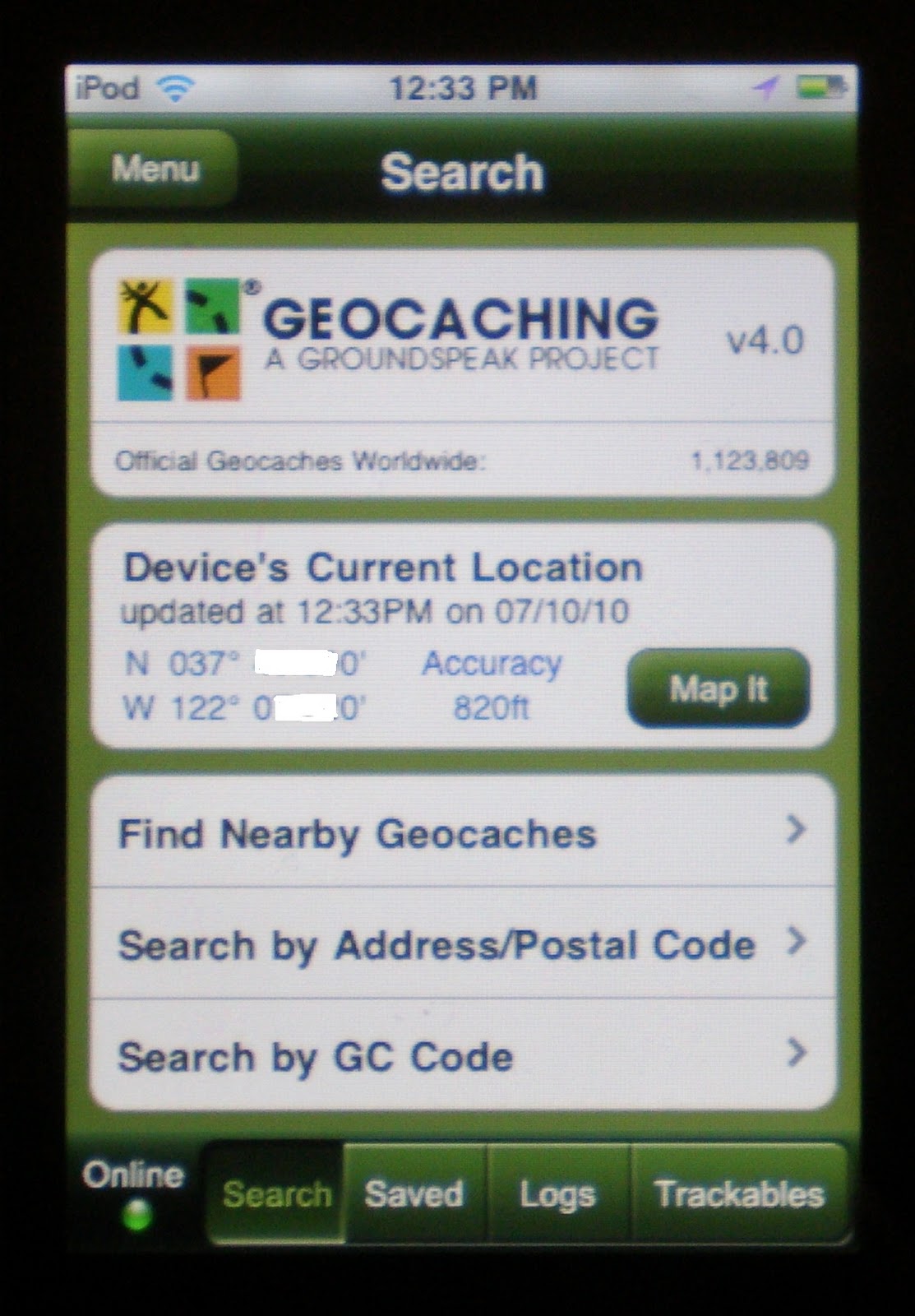
I'm sure you are all aware that Groundspeak released version 4.0 of their popular Geocaching iPhone application this week. This major upgrade adds a number of user-requested features including a functionally redesigned user interface and Google Maps integration. Users can also take photos with the iPhone camera and submit them with their logs. Geocachers can also submit logs for trackable items now. There's also an online/offline indicator, and a GPS acquisition status display. You can also view any list of caches on a map; a really nice enhancement.


So what's my problem with the new release? Well, one of the advertised feature enhancements is, "better reliability downloading pocket queries." I'm not sure exactly what Groundspeak means by this, but my experience so far has been the complete opposite of said enhancement compared to the 3.x version of the application. 


Before, it took about one minute to download any of my pocket queries, many of which contain the maximum of 1,000 cache listings. After upgrading to v4.0 on my iPodTouch, my experience hasn't been so pleasant. When I select my pocket query to download, the app begins churning away, first reporting that it is "Downloading Pocket Query", then a little later it tells me it is "Unpacking Pocket Query", then later still it displays, "Downloading Trackables". Then finally, after many minutes have elapsed, CRASH. The app. completely shuts down with no error message or indication of what just happened. When I return to the saved pocket query page, there's nothing there.


After a few more tries with the same result, and some choice words for Groundspeak, I headed to the forums to seek help. Turns out I wasn't alone. Many others have had this problem, and more. At this point, I'm thinking I need to figure out if I can delete this version and go back to version 3. But I do a little experimenting, and I find that I can actually download some of my smaller PQ's (500 caches) successfully to the device. So perhaps it is a memory capacity issue with my already-nearly-full 8GB iPodTouch. If so, my apologies to Groundspeak, but it sure would be nice if the app. could at least provide me with a vague error message of some sort (eg. "Memory Full") rather than simply crashing. 


And even if that is the problem, I'm still not real thrilled with the significant increase in the amount of time it takes to download a PQ now. This, along with the many other bugs being reported (see link above) may persuade some of you to put off upgrading to version 4.0 for a while. And I couldn't blame you one bit.


Cache On!


July 3, 2010

GeoWoodstock VIII, Live

If you are one of the unlucky ones like me who is  unable to attend GeoWoodstock VIII in Carnation, Washington today, you can attend virtually by following some of these geocachers on Twitter as they post updates throughout the day:

First, search the hashtag, #GW8
And then, follow some of these folks today:
@SudsyMaggie
@mo11ymonkey
@webscouter
@NevadaWolf
@NetworkCacher
@darrylw4
@TripCyclone
@GaryPaulson
@AnthonyFloyd
@CacheAdvance
@iJenQ
@geezfools
@TheBadCop
@podcacher

And finally, follow @GW8Balloon to get the current location of this moving travel bug.

Have a great time at the festival everyone. Wish I was there.

Cache On!

June 27, 2010

Get Off My Lawn

Don't get me wrong, I'm generally a pretty laid back, easy-going guy. But as I get older, I'm finding that the grumpy old man stereotype and I have a lot more in common. My latest gripe: the amount of time it takes to locate a geocache on Groundspeak's Geocaching iPhone Application.


Sure, I understand that one of the primary features of the app. is the ability to use a combination of GPS, Wi-Fi positioning and cell towers to determine your approximate location, and then tell you which geocaches you are closest to at any given moment. But what about us poor saps who can't afford the ridiculous $80 - $100 per month iPhone service charges, who  opted instead for the next best thing: an iPodTouch? Until that futuristic day when there is world-wide wi-fi coverage everywhere, we iPodTouchies are relegated to having to upload our pocket queries onto our touches before heading out on a caching trip. 


Don't get me wrong; I love this feature, and in fact, it has allowed me to use my iPodTouch as my primary paperless caching tool. But what gets my goat is how friggin' long it takes to scroll through the list of caches to find the cache listing of the geocache I am either looking for, or trying to log. And now that Groundspeak allows you to store 1,000 caches instead of 500, it takes even longer to find any given cache on my device. 


I generally sort my pocket query list by "name", and then shudder anytime I pull up to a cache that starts with a letter near the end of the alphabet. Often times I spend more time looking for the cache listing on my device than I do looking for the actual, physical cache. Couldn't Groundspeak simply add a search tool to the pocket query list menu? Just sayin'. 


And another thing...


Cache On!

June 20, 2010

Get Your GPSr On


One of my favorite blogs, GPS Tracklog, has an excellent round up of all things GPS in their most recent post. It's certainly worth having a look, especially the pieces on Backcountry GPS, Garmin, GPS in the News, and All the News That Doesn't fit.

Happy Father's Day, and Cache On!

June 13, 2010

Modular Cache Containers

The good people at GearPods recently sent me a sampling of their Connect System containers. These are modular plastic containers of various sizes that can be connected to create larger containers, or used separately. Besides being useful as cache containers, they might also function as containers for first aid/survival kits, small electronic device holders, food storage units, fishing and tackle containers, and bike repair kit carriers, to name a few.


They measure 3 inches in diameter without the lid (3.3" with lid) and are made of UV-protected polypropylene and polycarbonate. They come in small, medium, large and extra large sizes, which measure 1.5", 3.0", 4.5" and 6.0" tall, respectively.


 They also come with center-divide screw-tops which allow you to connect as many containers together as you like, but each container is separate from the adjoining one as the dividers are not hollow.


They also come with a set of stickers so you can label each container appropriately.


I'm looking forward to loading up these goodies with swag and releasing them into the caching community. I'm primarily interested in seeing how long they last out in the wild after months of being subjected to the elements.

Will the GearPods overtake the ubiquitous film cannister as the cache container of choice someday? Only time will tell.

Cache On!

June 6, 2010

Caddyshack Cache Mapping

A while back, I explained how to share your custom cache data in Google Maps. This process still applies, but there is an alternative method if you do not own a copy of GSAK. I'll describe the steps I used to create this map of the Caddyshack caches (from the new Bushwood Memorial cache series).

1. Go to the Caddyshack Tournament Caches bookmark page (or create your own).

2. Check all the boxes in the left-hand column, then hit the "Download to .Loc" button.


3. This creates a .LOC file containing all the caches, which you can now open in Google Earth.


4. Now, from within Google Earth, use the "Save Place as..." option to save this file as a .KML file.

5. Finally, launch Google Maps in your browser, click on "My Maps" (provided you have a Google account), "create new map", and "import". Choose the KML file you just saved to your hard drive, and that's it.

You now have all of your designated caches available as a layer in Google Maps which you can access from any computer or mobile device with internet access!

Cache On.